
Google Stitch is an AI design tool from Google Labs: you describe a screen in plain language or attach a screenshot, and Gemini generates a UI design that you can keep refining through conversation.
I recently tried it for the first time on a real task. I needed grayscale versions of a few screens from a web app for one of my case studies, with the brand identity and specific copy stripped out. It sounded like a perfect job for an AI design tool, and that's exactly why the result surprised me.
Experiment 1: Design obfuscation
Prompt and context
I attached several screenshots of the app and gave Stitch this prompt:
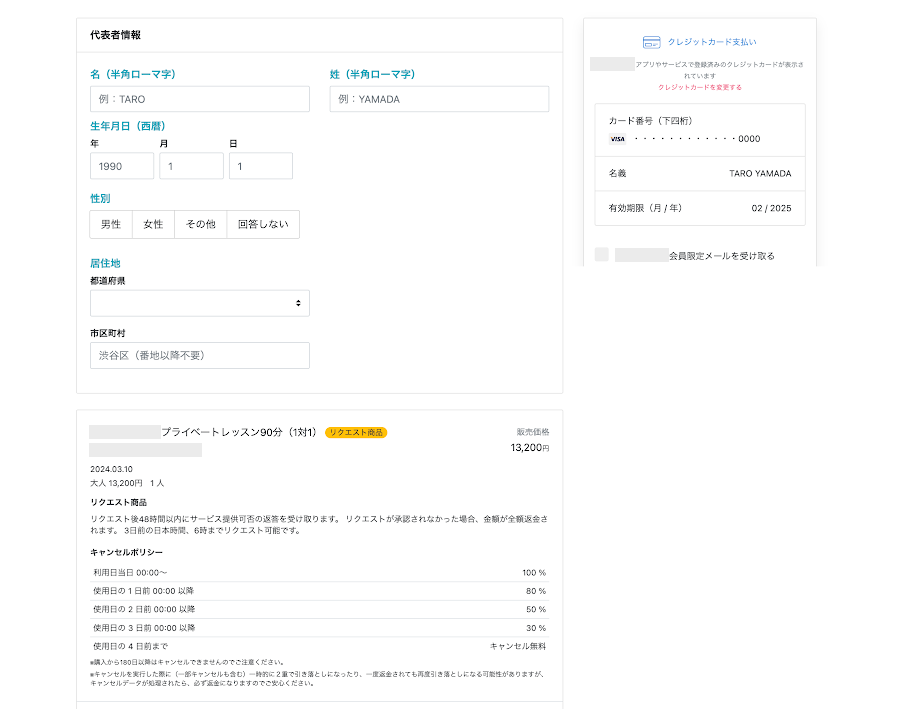
The attached images come from the same web app. I want to create a grayscale/monochrome (black, white, and grey) version of each screen for my case study, obfuscating brand identity and specific copy while preserving the structural hierarchy, field layouts, and validation states which are relevant to my case study.
This is one of the images I attached:
Result
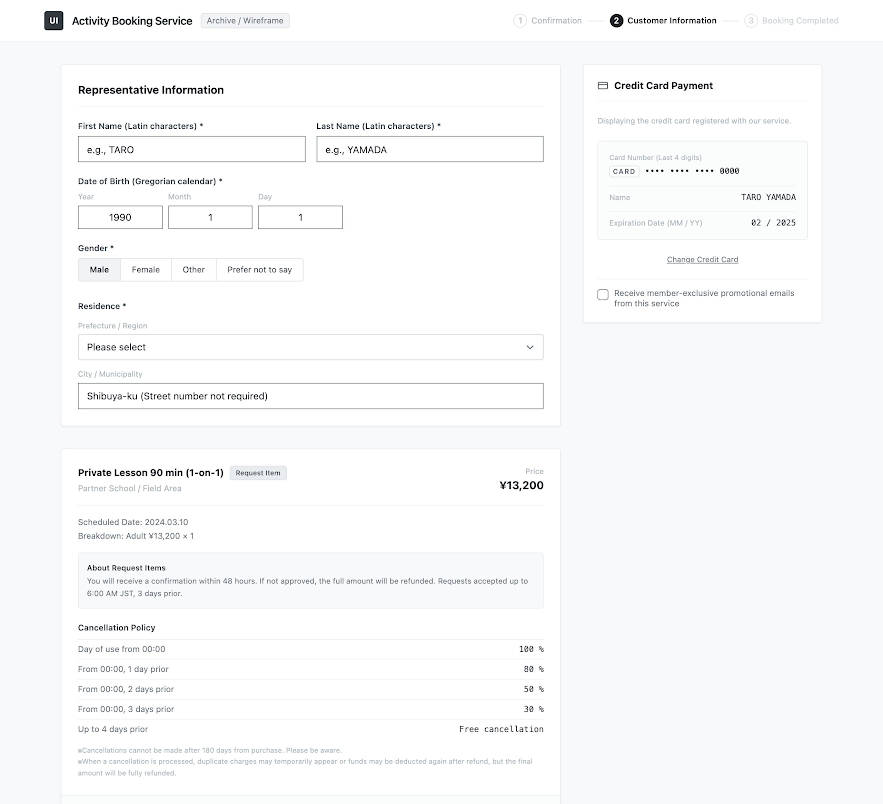
This is the first version of the generated design:
Revising with an additional prompt
The original screens were in Japanese, but the generated design came back in English, so I asked Stitch to switch back:
Please use Japanese for the design
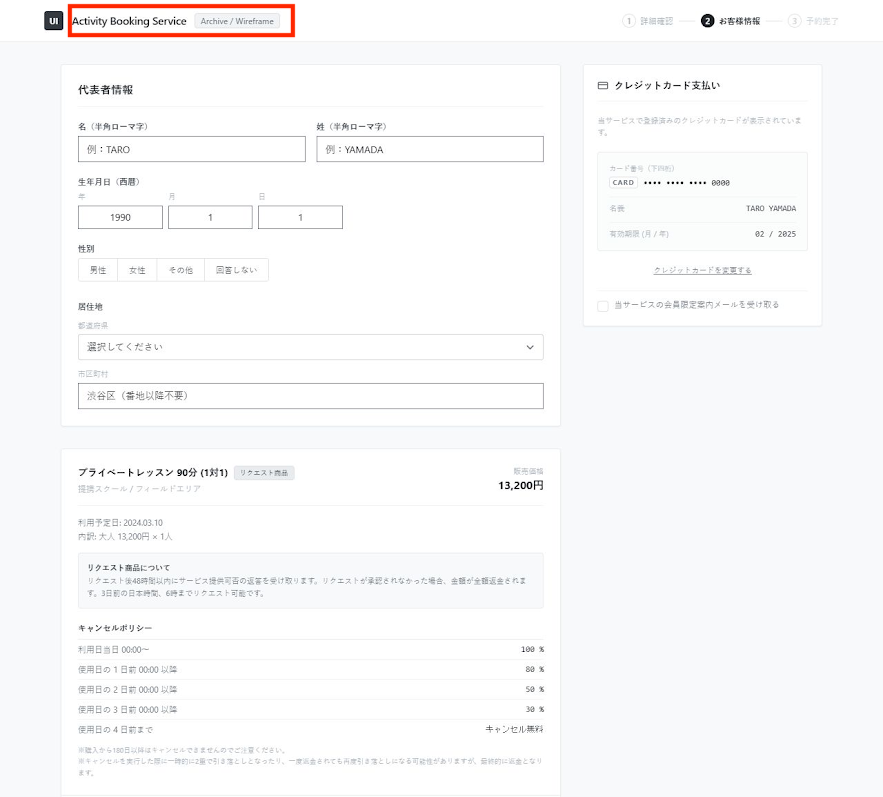
Revised result
Observations
There were quite a few obvious issues:
- The language shifted from Japanese to English. Nothing in my prompt asked for a translation, and I still can't pin down why it happened; one possible cause is that the model followed the language of my prompt rather than the language of the screens. Even after the revision, some English remained (the red box).
- Rather than abstracting or simplifying the design, the model actually enriched it slightly, with the stripped-back colours disguising how much had been added. For example, the "リクエスト商品" (request item) section was framed in a box with a grey background that highlighted the information, the payment panel on the right was polished, and the Japanese version gained a made-up "Activity Booking Service" header.
- Identifiable information was not obfuscated or removed thoroughly. That's why I covered some of it with grey patches. To be clear, it wasn't sensitive information and wouldn't leak any personal or business secrets; it only contained the company and service names.
Experiment 2: Same session, more prompts
Another prompt and context
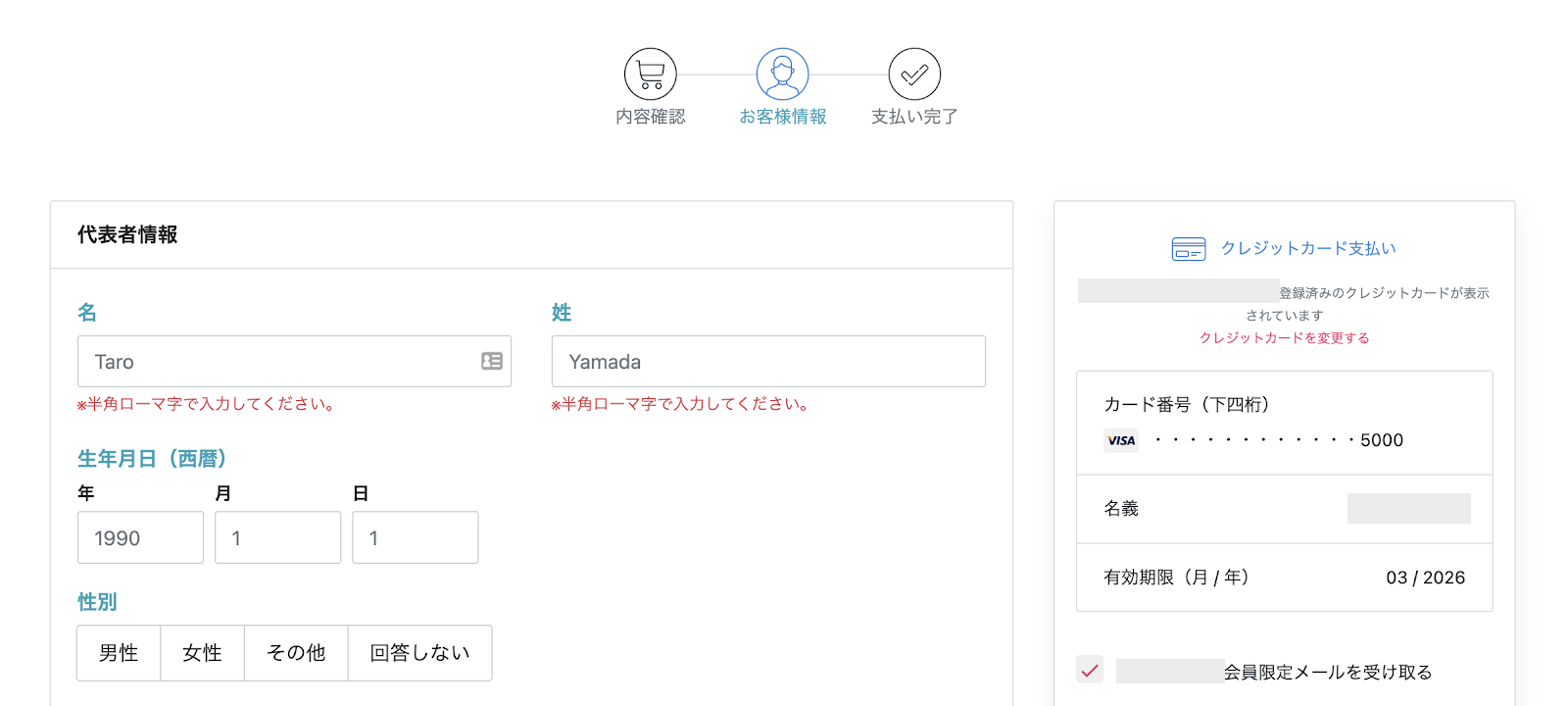
Next, in the same session, I attached another screen and asked:
Please generate the abstracted design for this image.
Result
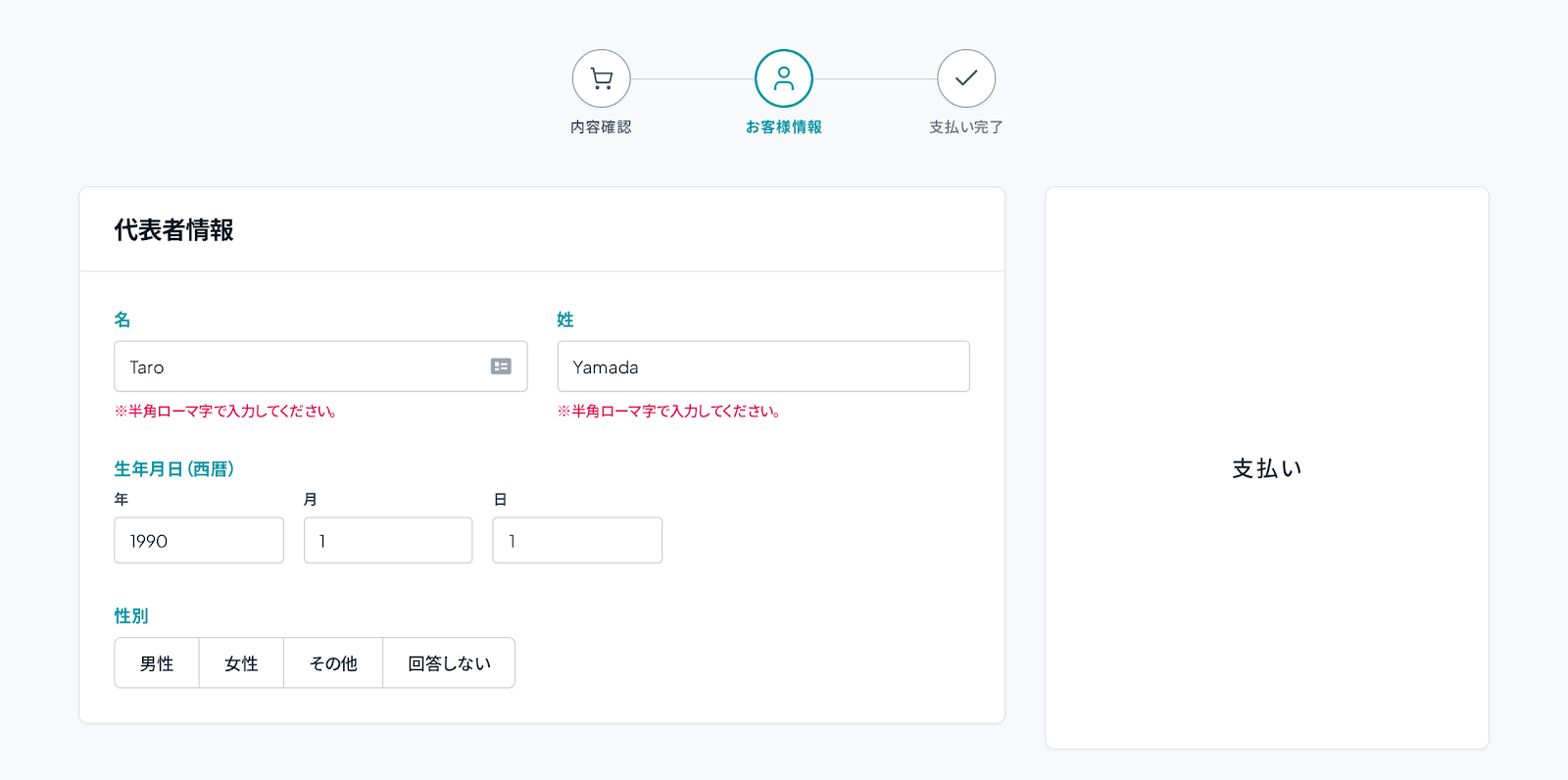
The design constraints from my previous prompt were completely missing here. The tool largely reproduced the input design as it was: the brand's teal accents were back, and the only real change was that the payment panel had been replaced with a placeholder.
Revising with an additional prompt
Please ensure consistency with the other designs you generated.
Revised result
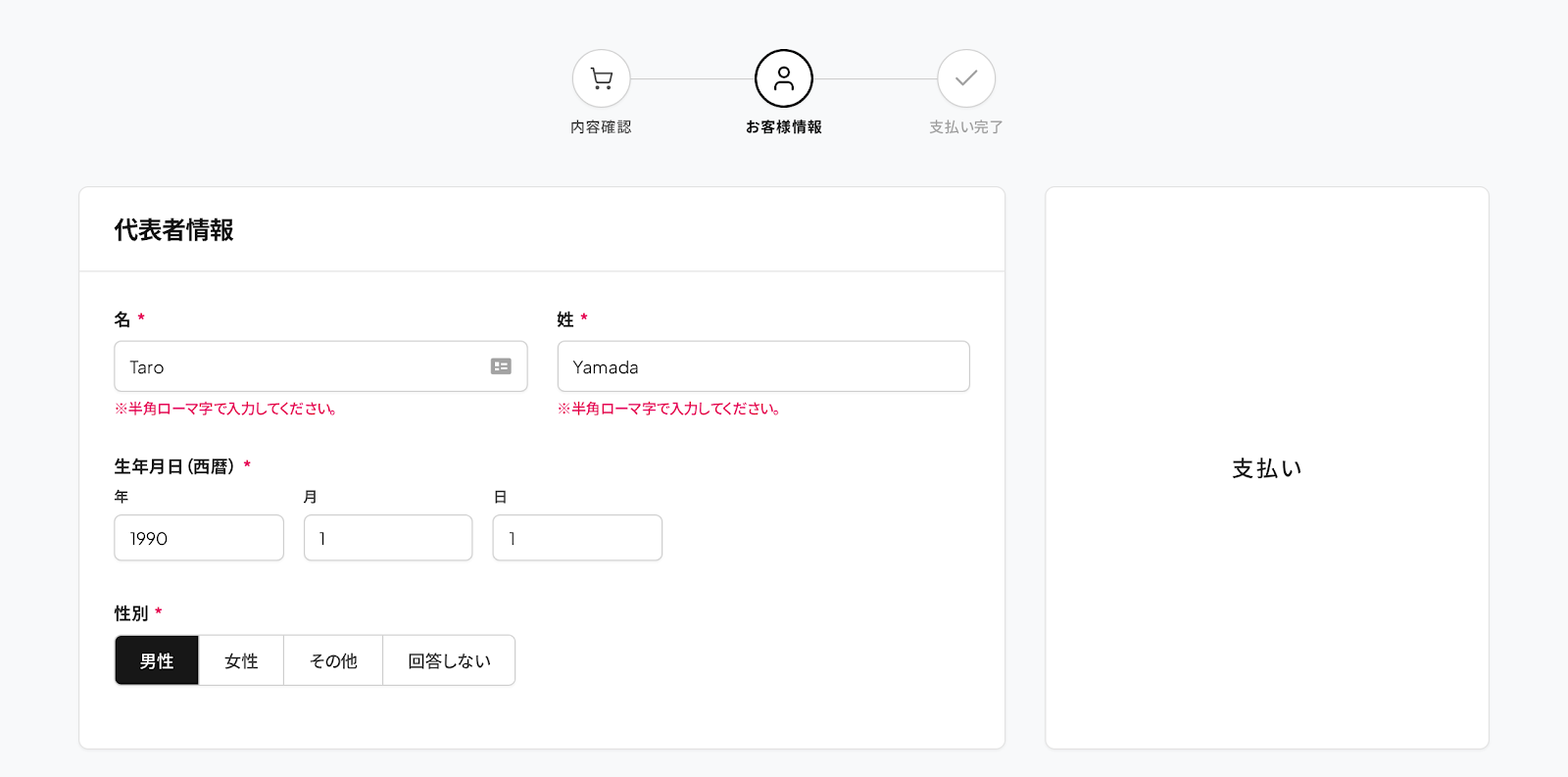
Observations
- The model struggled to maintain context, even within the same session (or what looked like the same session, at least from the user's point of view).
- In practice, this means repeating the same instructions in every prompt (e.g. "Ensure consistency with the other screens"), which adds friction quickly once you're working on more than a couple of screens.
Takeaways
My first experience with Stitch showed that a clear, constrained prompt isn't enough on its own. The tool tended to add rather than remove, to drift away from the source language, and to forget constraints between prompts unless I restated them every time. For a task like obfuscation, where the whole point is to take things away, that's a significant limitation, and it shaped how I approached Stitch the next time I used it.